

Free on Google Play and the App Store
Collect. Play. Remember.
Spot a game in a clip, on a shelf or on a friend's screen, and save it in seconds. It lands in a chest in your own cozy pixel room, together with where you found it.


Free to download · Android and iPhone · 13+


How it works
A game finds its home.
From a clip on your phone to a place in your chest: follow one game through GameChest.


Spotted.
A clip, a post, a message from a friend. Share it to GameChest from any app, or paste the link.
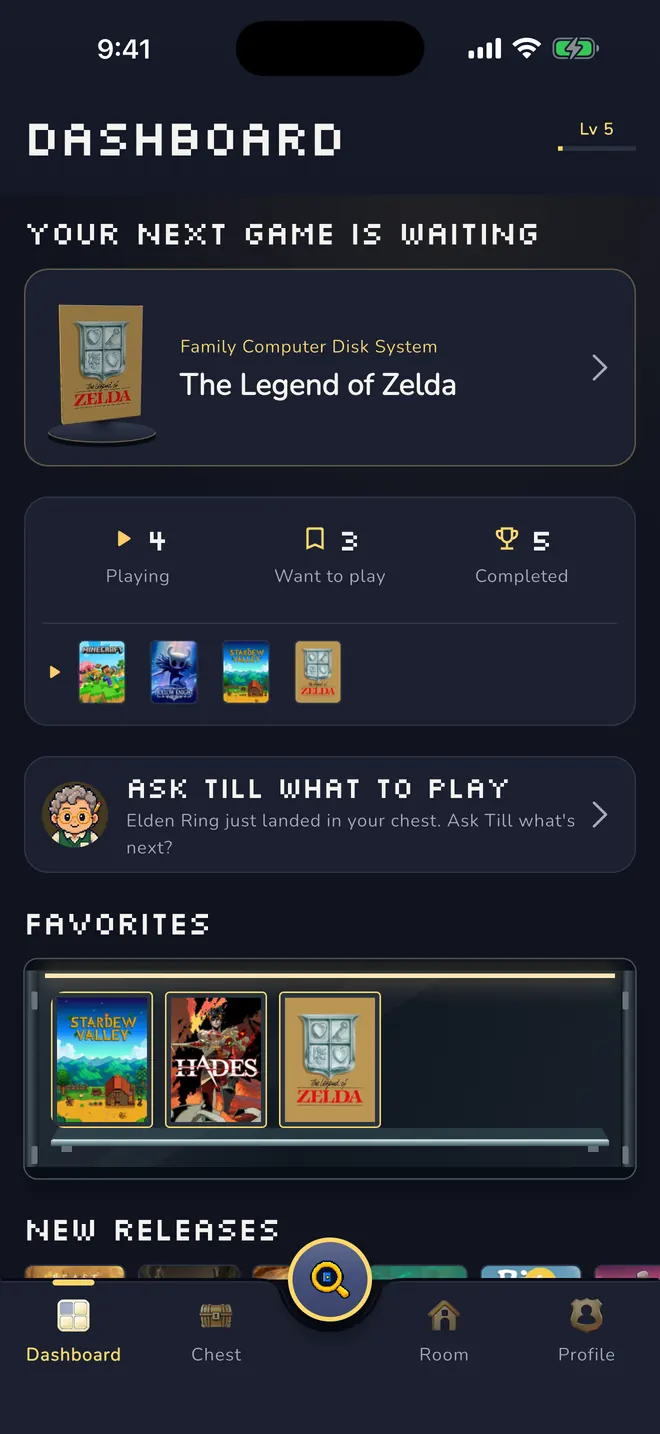
Checked, not just saved.
GameChest reads the post and suggests the game. You check the details first; only then it is saved, with the link to where you found it.
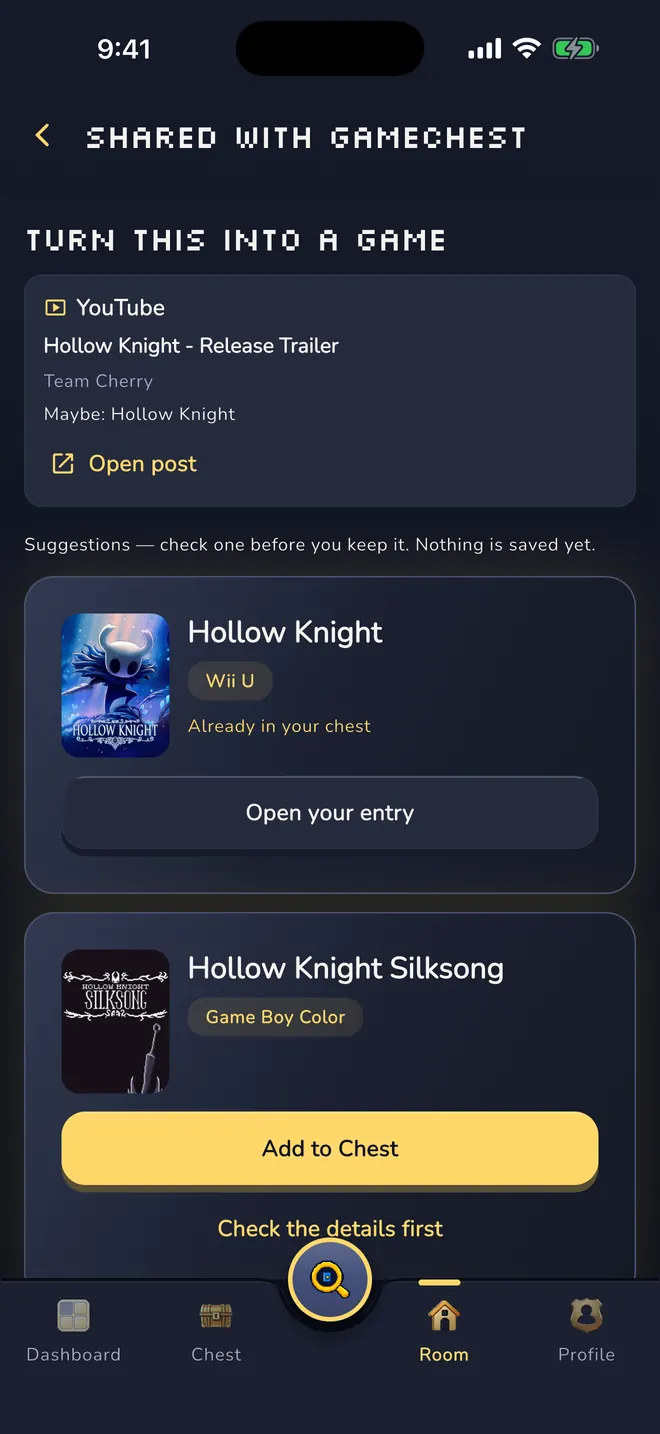
Into the chest.
The game lands in the wooden chest in your pixel room. The chest grows in seven stages, from Empty Crate to Legendary Chest, and deleting a game never shrinks it.
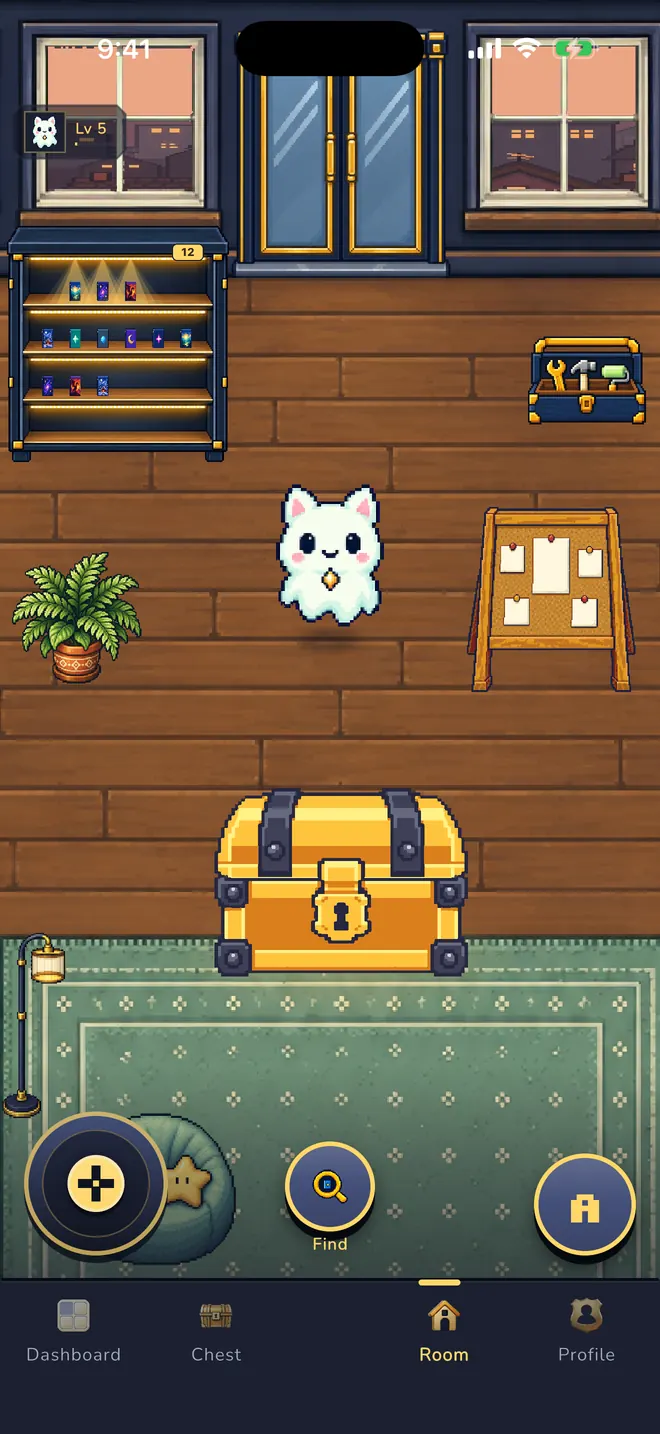
Your room fills up.
- Collect
- Discover
- Manage
Your dashboard knows what to play next and sorts your games by status. Till, the clerk of your own video store, suggests a game with a reason. Every game keeps its status, stars and dates.
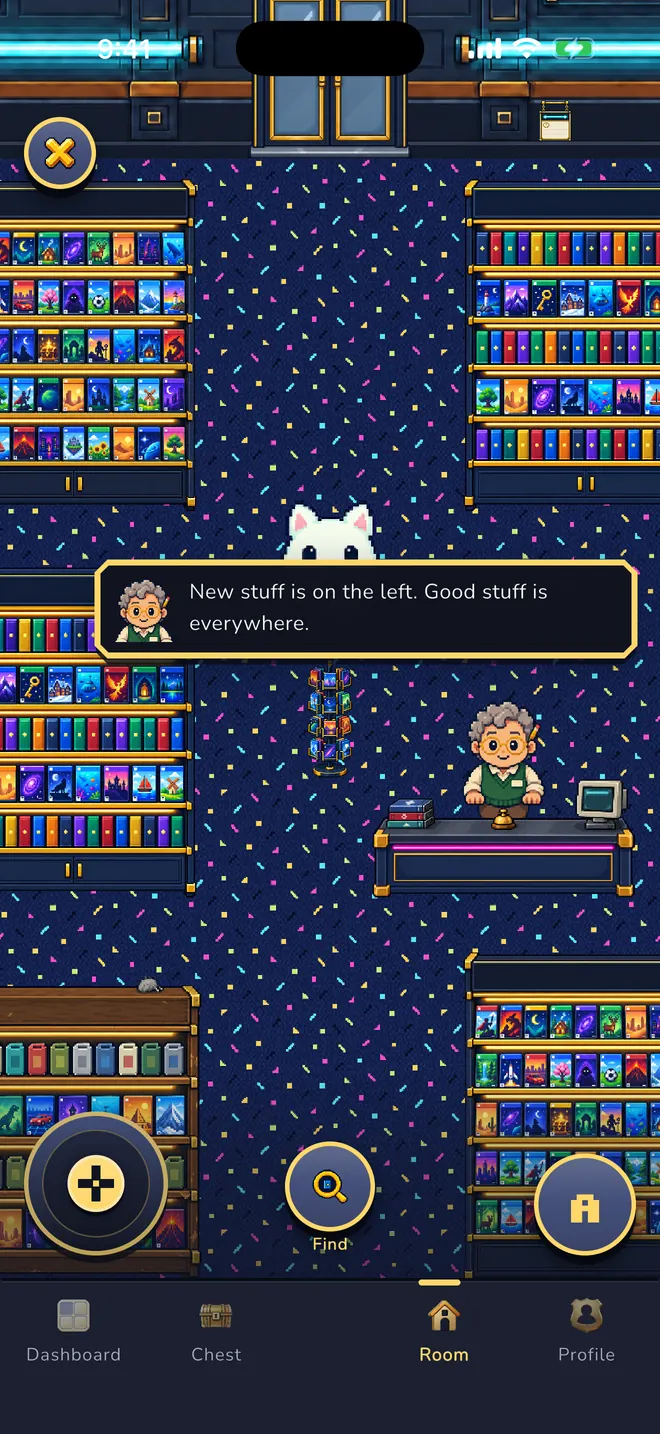
Compare with a friend.
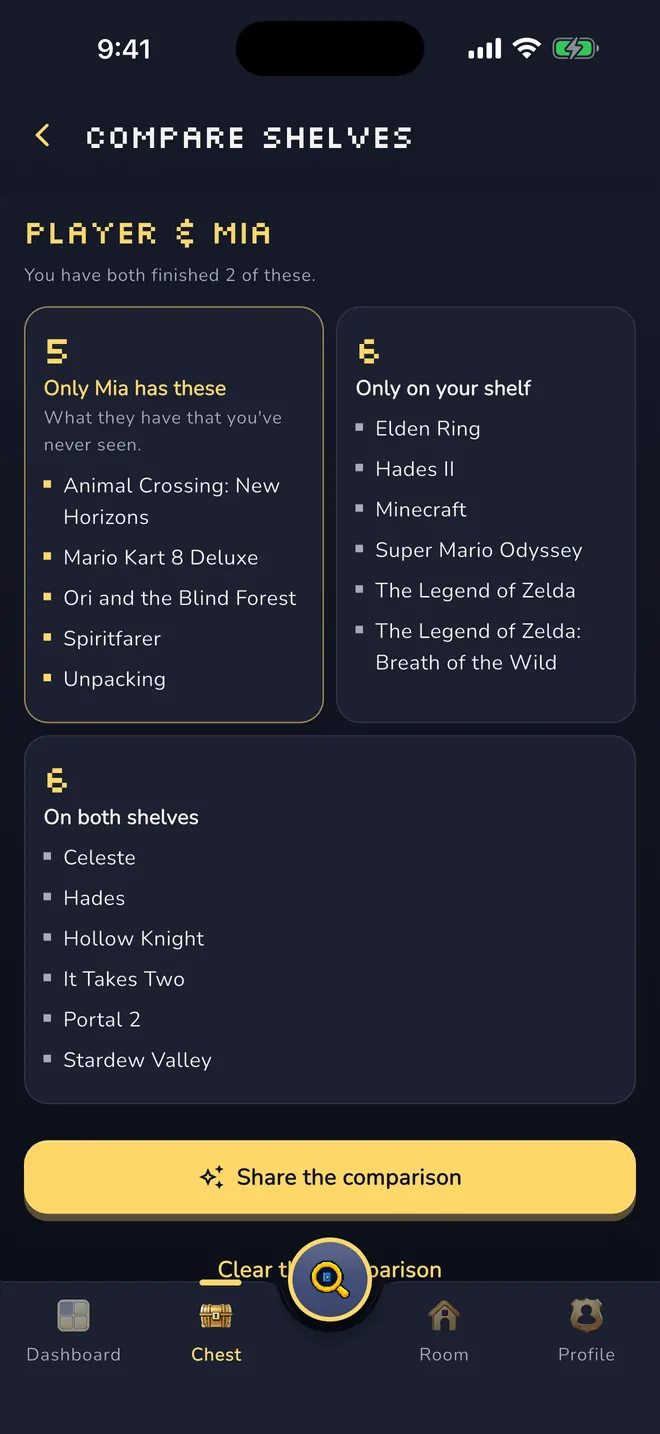
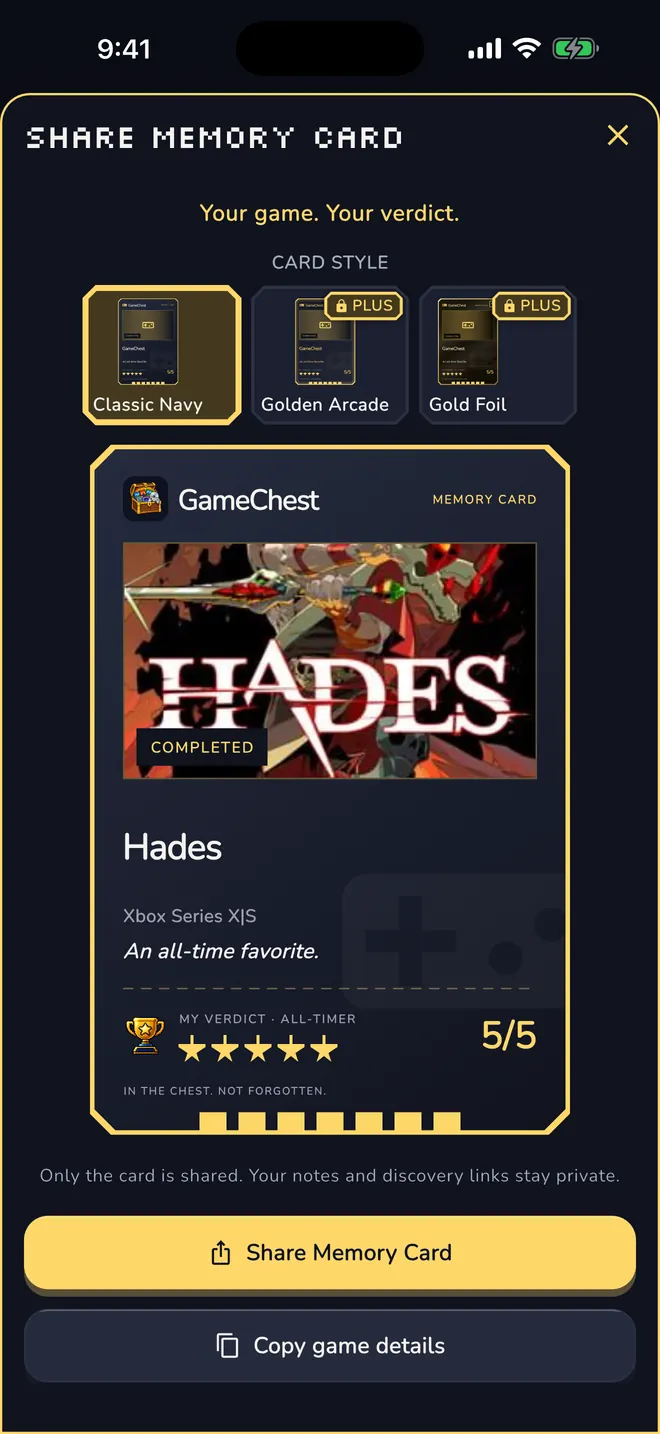
Your shelf becomes a code or a link you can send in any message. Theirs becomes a comparison, and what they have that you have never seen comes first. Or share your verdict as a Memory Card.
Your chest is waiting.
Free to use, no ads, no tracking. Get GameChest on Google Play or the App Store.
Free to download · Android and iPhone · 13+
Where you find games
Paste a link. Scan a box. Snap a cover.
Share a post from any app straight to GameChest, or paste the link. Scan the barcode on a game box, or take a photo of the cover. The barcode and the title on the cover are read on your device. With Photo AI (optional, only after you agree), a smaller copy of the photo goes to Anthropic to find the game. Nothing is saved until you have checked the details, and the link stays with the entry.
Links from
- YouTube
- TikTok
- Twitch
- Store pages
Or without a link
- Barcode
- Cover photo
- Type a name
Links from TikTok, YouTube, Instagram, Reddit and Twitch are recognised best; other pages may need the name typed in.
How GameChest works

Seen it.
A clip, a shelf, a friend's screen. That looked good.

Forgot it.
Tomorrow the name is gone. It always is.
Chest it.
Search, share a link, scan a box or a cover. Nothing is saved until you have checked it.
Play it.
Your chest grows. Till and your dashboard know what to play next.


Room & chest
A chest that grows with you.
Your collection is a wooden chest in a top-down pixel room. It grows in seven stages, from Empty Crate to Legendary Chest, and deleting a game never shrinks it. Walk your companion through the room, decorate it your way.
Dashboard
Always know what to play next.
Your next game, your favorites and your games by status: playing, want to play, completed. New releases and popular games to explore.
Game details
Finish it. Rate it. Keep it on display.
Every game has its own page: status, stars, platform, when it went into the chest and when you finished it. Your verdict stays with the game.

Shelf comparison
Compare shelves with a friend.
Your shelf becomes a code or a link you can send in any message. Theirs becomes a comparison, and what they have that you have never seen comes first. No friend list, no public list.
Till
Ask Till what to play.
Till is the AI clerk of your own video store. He knows your chest and the game catalog and suggests what to play next, with a reason. Try Till for free. With Plus you can ask him anytime.
Till uses a language model (Anthropic). Your chest titles and your question are sent to answer it; nothing else.
Memory Card & trophies
Share your verdict as a card.
Turn a game into a Memory Card, or share a card of your whole chest. Only the card leaves the app; your notes and discovery links stay private. Every finish earns a trophy.


GameChest Plus · Optional
Make it yours.
Saving games stays free. Link imports, camera finds and Till come with 3 free tries each. Plus removes these limits and adds more for your room.
- Unlimited linksAdd games from TikTok, YouTube, Reddit and more.
- Ask Till anytimeYour video store clerk picks your next game.
- Photo AI and cameraSnap a cover or barcode. We find the game.
- Decorate your roomFurniture, 8 more characters and gold cards.
New in version 1.0.1. On iPhone with the next update.
Free stays free. Saving, finishing, rating and sharing stay free and unlimited without Plus. A companion you picked and decor you placed stay with you after Plus ends.
€2.99 a month or €19.99 a year. The yearly plan starts with 7 days free. Your local price is shown in the store.
On Android, payment is charged to your Google Play account when you confirm the purchase (after the free week, if one applies). The subscription renews automatically unless it is cancelled before the end of the current period. Manage or cancel it anytime in Google Play under Payments & subscriptions. On iPhone, payment is charged to your Apple Account when you confirm the purchase (after the free week, if one applies). The subscription renews automatically unless it is cancelled at least 24 hours before the end of the current period. Manage or cancel it in your Apple Account settings. Terms of Use · Privacy Policy

Shared chest
One link, no account needed.
Share your chest from the app and your friend opens it in the browser: covers, status, stars. Then they compare it with their own shelf in GameChest.
Short links gamechest.games/c/… are new in version 1.0.1. On iPhone with the next update.
Private by design
Your chest is yours.
No ads, no tracking.
No advertising, no tracking across apps or websites, no analytics SDK of our own.
Compare without a friend list.
Shelf comparison works with a code or a short link. No public profile, no follower count.
Delete in the app.
Delete your account and your collection any time, right in the app.
Hosted in the EU.
Your account and collection are stored on servers in the EU (Ireland).
Photo AI is optional. Only if you agree, a smaller copy of your photo (without location or camera data) and the text read from it go to the AI Claude by Anthropic to find the game. GameChest does not store the photo.
Questions
Good to know.
Is GameChest free?
Yes. Saving, finishing, rating and sharing games are free and unlimited. Link imports, camera finds and Till come with 3 free tries each. GameChest Plus is an optional subscription that removes these limits and adds furniture, 8 more characters and gold cards.
Where can I get it?
On Google Play and the App Store, for Android and iPhone. Version 1.0.1 is on Google Play now and comes to iPhone with the next update. The app speaks English and German.
Which games can I save?
Search a game catalog by title, paste or share a link, scan a box or a cover, or type the name yourself. If a game is not in the catalog, add it by hand.
Who is Till?
Till is the AI clerk of your own video store. He knows your chest and the game catalog and suggests what to play next, with a reason. You can try Till for free. With Plus you can ask him anytime.
How old do I have to be?
13 or older.
Where is my data, and can I delete it?
Your account and collection are stored with our hosting provider on servers in the EU. You can delete your account, including your collection, in the app at any time. Details: Privacy Policy · Support.
Spotted a game today?
Put it in your chest before the name is gone.
Free to download · Android and iPhone · 13+